

5 Essential Documents You Need Ready Before Logging Into EmaraTax
Preparing your support files before opening the EmaraTax portal can save hours of frustration and significantly reduce the risk of application rejection. Whether you are registering for UAE Corporate Tax, applying for Value Added Tax (VAT), or updating your official tax profile, the Federal Tax Authority (FTA) requires complete, accurate, and properly formatted documentation.
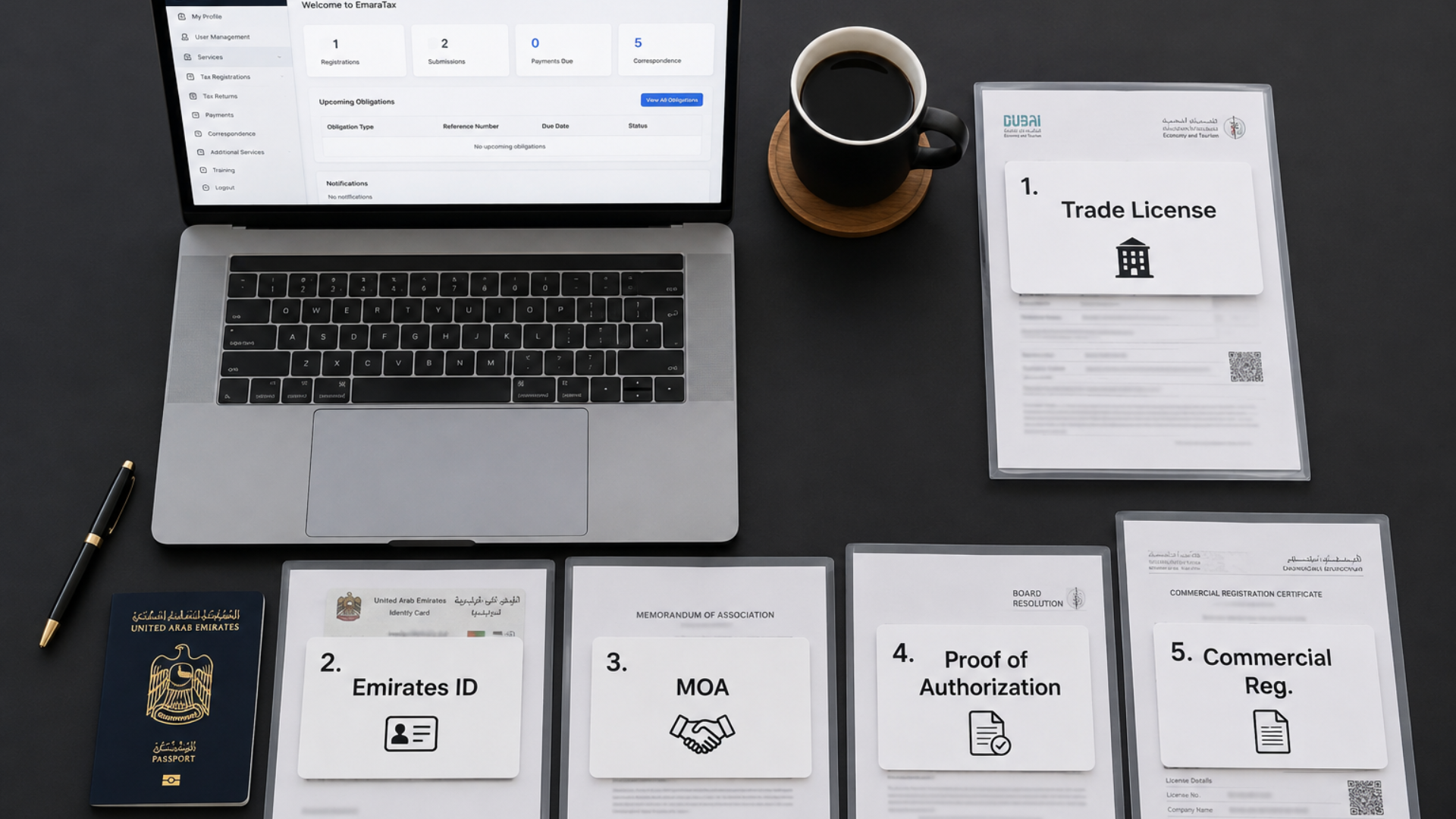
Missing even a single file can halt your application mid-way or trigger long verification delays.
Why Pre-Log-in Preparation Matters for EmaraTax
Many business owners assume they can gather documentation on the fly while navigating the portal. In practice, this is one of the primary reasons tax registrations remain stuck in draft mode or face extra compliance reviews.
Portal Reality Check:
According to FTA guidelines, Corporate Tax registrations generally take around 25 minutes to submit, while VAT registrations take roughly 45 minutes—provided all documents are prepared beforehand. Incomplete submissions or errors can delay approval times up to 20 business days.
The Pre-Registration Checklist: 5 Required Documents
1. Valid Trade License
Your active trade license is the foundational verification document. The FTA uses it to confirm your entity’s legal status, operational scope, and authority to conduct business in the UAE.
- Key details verified: Business name, license number, legal structure, registered activities, and expiry date.
- Pro Tip: Ensure your license is active. Uploading an expired license or omitting secondary branch licenses for multi-location businesses will trigger an immediate request for amendment.
2. Emirates ID & Passport of the Authorized Signatory
The FTA requires identity verification for the designated individual legally authorized to represent the business.
- Required items: Clear copies of the authorized signatory’s valid Emirates ID (front and back) and Passport.
- Common pitfalls: Blurry scans, cropped edges, or expired documents. Ensure all identification is current and fully legible before uploading.
3. Memorandum of Association (MOA) or Certificate of Incorporation
These legal formation documents establish your company’s ownership structure and legal foundation.
- Key details verified: Shareholding percentages, legal entity classification, capital structure, and parent/subsidiary relationships.
- Pro Tip: If your company has undergone recent structural or ownership changes, upload the most recent amended MOA or updated Commercial Register excerpt.
4. Official Proof of Authorization
If the person completing the portal application is not the primary business owner listed on the Trade License, explicit legal authorization is mandatory.
- Accepted proof: A formal Board Resolution, Power of Attorney (POA), or an official Manager Authorization Letter.
- Why it matters: Applications submitted without clear proof of legal authority are routinely placed on hold during the FTA verification phase.
5. Commercial Registration Certificate
Issued by your respective licensing authority (Mainland DED or Free Zone Authority), this certificate serves as official secondary confirmation of your legal presence.
- Mainland vs. Free Zone: Requirements vary depending on your jurisdiction, but uploading the latest official registry document prevents discrepancies between municipal and tax authority records.
Technical Formatting Rules for EmaraTax Uploads
Even with all documents in order, simple technical mistakes can block your submission. Follow these exact technical criteria specified by the FTA:
- File Format: Upload documents in PDF format (unless specifically requested otherwise).
- File Size Limit: Maximum 15 MB per file.
- File Naming: Use clear, descriptive file names (e.g., Trade-License-2026.pdf, Signatory-Emirates-ID.pdf).
- Security: Avoid password-protected or encrypted PDFs, as the portal scanner will fail to process them.
Quick Reference: Common Application Delays & Fixes
| Common Mistake | Direct Consequence | Prevention Action |
|---|---|---|
|
Expired Trade License |
Application rejection / request for correction |
Verify expiration dates prior to starting. |
|
Missing Signatory Proof |
Extended verification hold |
Prepare POA or Board Resolution in advance. |
|
Illegible ID Scans |
Verification failure |
Use high-resolution color scans (minimum 300 DPI). |
|
Inconsistent Business Names |
Data matching errors |
Cross-check spelling across MOA, License, and Bank docs. |
|
Exceeding 15 MB Limit |
Portal upload error |
Compress PDFs prior to starting the session. |
Log in to EmaraTax only after all five documents are collected, verified, and saved in a single folder in standard PDF format. Preparing your documentation upfront ensures a quick submission, avoids back-and-forth inquiries, and protects your business from unnecessary compliance delays.